Customuse: Skins Maker Roblox
- 4.7
- Rating
- 10.00M
- Installs
- Free
- Price

 Analysis by App-foxy
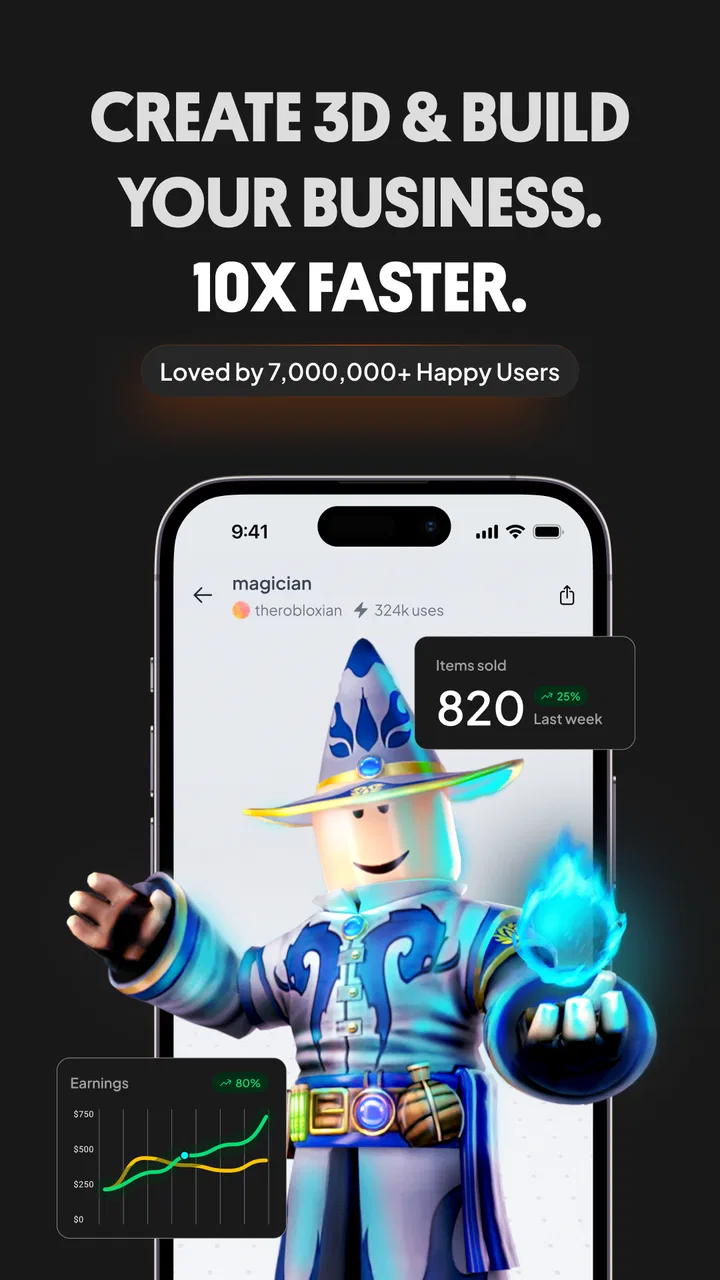
I noticed Customuse: Skins Maker Roblox because it promises a practical way to make clothing and skins for Minecraft and Roblox without starting with a full desktop design program. After spending time with it, my impression is that it is most enjoyable when I treat it as a quick creative workshop rather than a complete replacement for professional art software. The first session feels inviting: choose a template, experiment with colors and details, and see an idea take shape without needing advanced drawing skills.
That easy entry is important. Many design tools make beginners learn layers, canvas settings, export formats, and complicated menus before they can create anything satisfying. Customuse keeps the focus closer to the result. I can begin with the kind of item I actually want to make for a game, which makes the learning curve feel connected to a real purpose instead of a series of abstract lessons.
The app is free to install and is listed for everyone, so it is approachable for younger creators as well as adults who simply want to customize a character. The developer is Customuse, and the app belongs to the art and design category. Its popularity is easy to understand: it has passed ten million installs and holds a 4.7 average from roughly 929,000 ratings. Those numbers do not guarantee that every workflow will suit me, but they do suggest that the concept has reached far beyond a small group of hobbyists.
You May Also Like

 Blood Strike: 2.5 Anniversary
Blood Strike’s Loadouts Turn Every Drop Into a Tactical Gamble
A close look at Blood Strike’s custom loadouts: how fast access to signature weapons reshapes its battle royale rhythm, rewards preparation, and narrows the gap between fights.

 Pandora - Music & Podcasts
Pandora’s Music Is Easy to Start, but Harder to Recover
Pandora’s strength is its low-effort path from a seed to a station. Its weak spot is how much confidence it asks you to place in connection, setup, and quiet recovery.

 8 Ball Pool
 Is Built on Rivalries, Rematches, and Routine
A close look at the rivalries, rematches, shared routines, and unanswered safety questions that turn a quick pool match into a persistent mobile community.

 Samsung Music
’s Quiet Strength Is Playing What You Already Own
Its reach comes less from spectacle than from dependable access to a personal library. That simplicity is both the app’s strongest retention engine and its ceiling.

 AccuWeather: Weather Radar
AccuWeather Review: A Quick, Clear Forecast for Everyday Decisions
For everyday plans, the best forecast is the one you can understand quickly. AccuWeather makes rain timing, radar, and local conditions easy to act on, with a few trade-offs.

 Hill Climb Racing
Why Hill Climb Racing Still Turns Crashes Into One More Run
A tiny car, a bumpy hill and one more upgrade: Hill Climb Racing keeps resurfacing because its simple chaos makes every near-miss feel personal.
More From Our News Desk
View All News


What the first week feels like
During the first week, the strongest part is the speed of experimentation. I can try a bold color combination, add a graphic direction, rethink the design, and move on without feeling that I have wasted an afternoon. That makes the app especially useful for people who have ideas in their heads but do not yet have the confidence to draw them from a blank canvas.
A realistic everyday use case is a player preparing a new Roblox avatar for the weekend. Instead of searching through the same familiar clothing choices, I can spend a short break building a shirt or visual theme around a favorite color, joke, hobby, or group identity. The value is not only the finished item; it is the feeling that the avatar reflects a decision I made rather than a random selection from a catalog.
I also found the template-based approach helpful for understanding how game clothing is organized. A beginner may know what a jacket should look like but not how its front, back, and side areas relate to one another. Working from a prepared structure reduces that mental load. The trade-off is that the result can feel less distinctive if I merely change a color and add one obvious decoration. The app rewards personal decisions, not passive template use.
My best first-week workflow is to make several rough versions before polishing one. I start with a simple theme, test whether the main shape and contrast are readable, then create a second version with fewer details. Comparing those drafts is more useful than endlessly decorating the first attempt. Small-screen design encourages over-detailing because everything looks exciting when viewed closely, while a character seen at normal game distance needs a clear silhouette and a strong focal point.
That is one of the less obvious lessons here: restraint matters more than adding features. If I place too many colors, symbols, and textures together, the clothing can lose its identity. I get better results by choosing one dominant color, one supporting tone, and a single detail that gives the item its personality. This is advice I would give to a friend before they begin, because it saves more time than learning another menu.
Where it helps beginners most
Customuse is a good fit for someone who wants a direct connection between creative work and a game character. A child can explore visual ideas with guidance, a Roblox player can prepare a themed outfit, and a casual artist can practice composition without committing to a large software package. The app also makes an appealing bridge for people who are curious about digital design but are not ready to buy a drawing tablet or learn desktop tools.
It is less suitable for someone who needs precise professional illustration, advanced image editing, or a carefully managed production pipeline. A phone interface is convenient, but convenience also limits how comfortably I can handle tiny details and repeated revisions. If the goal is a polished portfolio asset, commercial artwork, or a large collection with strict consistency, a desktop graphics program will usually offer better control.
The comparison with ordinary alternatives is revealing. A pre-made clothing catalog is faster when I only want a new look immediately, but it offers little creative ownership. A general drawing app gives me more freedom on a blank canvas, yet I must understand the target clothing structure myself. Customuse sits between those choices: it narrows the task enough to be approachable while leaving room for personal decisions.
That middle position is the reason I can imagine using it beyond the novelty of the first day. It solves a particular problem instead of pretending to be every kind of art tool. The question is whether that problem remains interesting after I have made a few designs.
Does it have value after the novelty fades?
For month-to-month use, the app’s value depends on whether I keep finding projects with a real purpose. If I only open it to make one novelty skin, the experience may end quickly. If I use it for seasonal avatar changes, themed outfits, friend-group ideas, or a personal style experiment, it becomes easier to return because each session starts with a different creative question.
I would not describe it as an app I need every day. Its recurring value is project-based rather than habitual in the way a messaging or planning app is. That is not a weakness by itself. A useful art tool can earn a place on my phone even if I open it only when inspiration arrives, provided it lets me begin quickly and finish without unnecessary friction.
The current version is 1.76.0, and the app has been available since June 6, 2023. Those details matter mainly because an established app is more reassuring for a recurring creative activity than a brand-new experiment. Still, I judge long-term usefulness by my own workflow: can I return after a few weeks and understand what I was doing, or does the app only feel exciting when everything is new?
My answer is mixed but positive. The basic creation loop remains approachable after the first week, especially when I set a small goal before opening it. “Make a winter-themed top” is better than “design something cool,” because a defined brief prevents aimless tapping. This is another practical tip: give each session a constraint. A limited palette, one visual theme, or a specific avatar concept turns the app from a toy into a manageable design exercise.
There is also a useful learning curve hidden inside repeated projects. My early designs tend to focus on decoration, while later attempts pay more attention to balance, readability, and whether the item looks coherent as a whole. The app itself does not magically teach professional design judgment, but it gives me enough repetition to notice my own habits. That makes it more valuable for a beginner than a one-time customization screen.
How to keep a personal library from becoming tiring
The main maintenance burden is creative rather than technical. Once I have made several similar items, I need a system for deciding what deserves another revision. Without one, I can spend too long making tiny changes that do not improve the final appearance. I prefer to keep a short list of ideas and finish designs in batches: rough concepts first, stronger candidates second, final cleanup last.
This approach also helps with consistency. If I want several pieces to feel like they belong together, I reuse a small color family and a recognizable visual motif while changing the layout. That creates a personal collection without making every item identical. The app is particularly useful here because the same general design goal can be approached repeatedly, but I still need to impose my own rules.
There is a trade-off between speed and originality. Templates help me avoid structural mistakes and produce something presentable sooner, but they can encourage designs that resemble one another. To counter that, I change the concept before changing the decoration. Instead of adding another badge to the same shirt, I ask whether the item should communicate a different mood, shape, or theme. That simple change produces more variety than collecting extra visual details.
People also ask whether a free app remains completely free in practice. The app itself is free, while optional in-app purchases range from $1.99 to $59.99 per item. I can therefore begin without paying, which is enough to judge whether the workflow fits me. I would approach purchases slowly and only after I know I will return regularly; creative excitement can make optional extras feel more essential than they really are.
That pricing structure is one reason I would recommend a trial period before spending anything. Make a few designs using the available experience, decide whether the results are genuinely useful, and then consider whether an upgrade supports a recurring project. If I am only curious for an evening, paying for additions is unlikely to improve the decision.
Where fatigue starts to appear
The first source of fatigue is repetition. The initial thrill comes from seeing an idea become a wearable game item. After several similar sessions, that transformation is less surprising. If I do not bring new themes or constraints, the app can become a cycle of recoloring familiar concepts rather than a place where I am learning or expressing something new.
The second is the limitation of designing on a phone. A touchscreen makes quick edits comfortable, but precision work can become fiddly. I sometimes need to zoom mentally between the tiny working area and the way the full design should read on a character. Someone who enjoys detailed illustration may become frustrated sooner than someone who values speed and experimentation.
Another potential problem is expectation. The store summary focuses on Minecraft and Roblox clothes, but a user may still assume that creating a design automatically means it will look perfect in every game context. I treat the app as a creation tool, not as a guarantee that every idea will translate exactly as imagined. Before investing a lot of effort, I make a small test version and check whether the visual result matches my intention.
The app is also not the right choice for people who dislike working within a game-specific format. A general illustration app is better if I want to paint landscapes, make posters, edit photographs, or build artwork unrelated to clothing. Customuse becomes valuable precisely because it narrows the creative task. That focus is an advantage for one audience and a boundary for another.
Age suitability deserves a practical note. The Everyone rating makes the app broadly accessible, but younger users may still benefit from an adult helping them think about optional purchases and online sharing habits. The creative process is simple enough to invite independent exploration, yet guidance can prevent a child from confusing a fun design experiment with a need to buy every available addition.
I also would not choose it as my only art application. It is strongest when I want to design wearable game visuals quickly. For serious drawing practice, layered illustration, typography, or detailed retouching, I would move to a more specialized tool. Keeping those roles separate makes the experience more satisfying: Customuse handles the game-focused idea, while a broader editor handles work that needs more technical control.
Who should keep it installed?
I would keep it installed if I regularly customize Roblox or Minecraft-related clothing, enjoy making themed avatar concepts, or want a low-pressure introduction to digital design. It is especially worthwhile for people who like short creative sessions. I can open it with a clear idea, make progress during a break, and stop before the project becomes a major commitment.
I would probably remove it if I rarely play the related games, dislike templates, or need exact professional control over every pixel and asset. The app cannot create motivation by itself. If the game connection does not matter to me, its central advantage disappears and a conventional drawing tool may be more flexible.
For families, the free starting point and Everyone rating make it easy to explore together. I would encourage a child to describe the design before opening the editor: what is the theme, which color should stand out, and what detail should people notice first? That turns tapping into a small design exercise and helps avoid endless, unfocused customization.
For experienced artists, the appeal is different. I would use it for quick concept testing or for translating a rough character-fashion idea into a game-oriented format, not for final professional production. It can shorten the distance between an idea and a playable visual identity, but it should sit alongside—not replace—a more capable creative setup.
My long-term verdict
After the novelty fades, Customuse: Skins Maker Roblox earns lasting space only when I use it with intention. It is not an endlessly deep art studio, and I do not think it should be judged as one. Its strength is the focused path from a clothing idea to a game-ready visual concept, with enough flexibility to make the result feel personal.
The best long-term habit is to return with a brief, not just boredom. Choose a theme, limit the colors, make two rough versions, and polish the one with the clearest identity. That workflow reduces fatigue, improves design judgment, and gives each session a reason to exist. It also protects me from spending money on extras before I know whether the app has become part of my routine.
My recommendation is therefore positive but specific. If you want fast, approachable customization for Roblox or Minecraft clothing, I think it is worth trying for free. If you want a full illustration environment, detailed professional editing, or a tool unrelated to game avatars, I would choose something else. The lasting value comes from repeatable creative projects, not from the first impressive experiment.
For me, that is a fair result. Customuse is at its best as a friendly, focused design companion: quick enough for casual ideas, structured enough for beginners, and flexible enough to support a growing personal style. It will not eliminate the need for broader art software, and it can become repetitive without fresh goals, but it does more than provide a fleeting novelty. Used thoughtfully, it gives game customization a creative side that is easy to return to.
FAQs for Customuse: Skins Maker Roblox
01What is Customuse: Skins Maker Roblox?
Customuse: Skins Maker Roblox is an app designed for creating custom skins for Roblox avatars. It offers a wide range of tools and templates to help users craft unique looks. Whether you're a seasoned designer or a beginner, the app provides an intuitive interface to enhance your Roblox experience.
02Is Customuse: Skins Maker Roblox free to use?
The app offers a free version with basic features, allowing you to create and customize skins. However, there are in-app purchases available that provide access to advanced tools and premium templates. These can enhance your design capabilities and offer more creative options.
03Can I use Customuse: Skins Maker Roblox on both Android and iOS?
Yes, Customuse: Skins Maker Roblox is available for both Android and iOS devices. You can download it from the Google Play Store or the Apple App Store, ensuring compatibility with a wide range of smartphones and tablets for seamless skin creation.
04How easy is it to create a skin using Customuse: Skins Maker Roblox?
Creating a skin with Customuse: Skins Maker Roblox is straightforward, thanks to its user-friendly interface. The app provides step-by-step guidance and a variety of templates to choose from. Even beginners can easily navigate the app and start designing unique skins within minutes.
05Does Customuse: Skins Maker Roblox have community features?
Yes, the app includes community features that allow users to share their creations and gain inspiration from others. This interactive aspect not only enhances creativity but also builds a community of like-minded designers who can collaborate and exchange ideas.
Pros
- User-friendly interface for easy customization.
- Wide variety of templates to choose from.
- Seamless integration with Roblox platform.
- Frequent updates with new design options.
- Support for beginner and advanced users.
Cons
- Limited free features; many are premium.
- Occasional bugs during skin export.
- Requires stable internet connection.
- Ads can be intrusive at times.
- Customization options can be overwhelming.

Customuse: Skins Maker Roblox
Gallery